GeForce NOW, xCloud, Boosteroid, Shadow PC, Moonlight, PS Remote Play and Steam Link.
Reduce local macOS noise and see whether the issue looks like Wi-Fi, UDP, packet loss, route latency or background traffic.
 CloudBoost
Native macOS menu bar utility · Version 4.2.3
CloudBoost shows what is happening around your game when a normal speed test says everything is fine.
Watch jitter, packet loss, route latency, VPN state, background traffic, AWDL/Wi-Fi noise, thermal pressure, Low Power Mode and local CPU pressure in one place.
brew tap victorbrandaao/cloudboost
brew install --cask cloudboost
macOS 12 or later · Intel and Apple Silicon · PRO is a one-time v4.x license
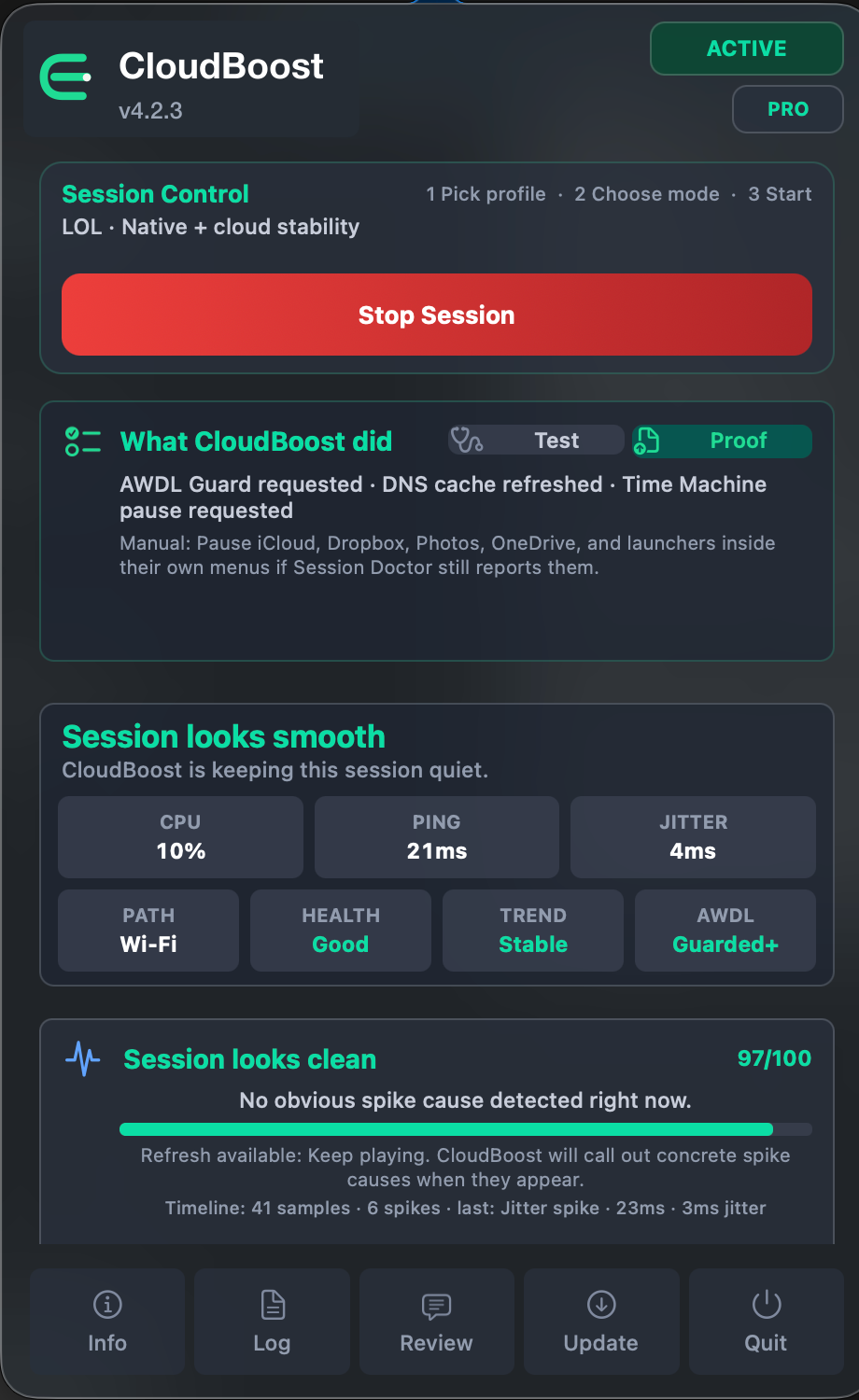

One session, three answers
Collect the signals that average ping hides: jitter, packet loss, route state, Wi-Fi noise and local pressure.
Separate a live problem from an earlier spike and show the likely cause in plain language.
Apply selected temporary actions, record what changed, and restore the session when you stop.
Use Cases
CloudBoost is useful when a game feels fine for a while and then stutters, spikes or becomes inconsistent.
It covers cloud gaming, remote play, native Mac gaming and PRO diagnostics for CrossOver, Whisky, Wine and Game Porting Toolkit sessions.
For local games, it now separates measured Mac-side pressure from causes it cannot observe directly, such as shader compilation, asset streaming, renderer stalls and Rosetta/translation work.
Reduce local macOS noise and see whether the issue looks like Wi-Fi, UDP, packet loss, route latency or background traffic.
Watch CPU pressure, thermal pressure, Low Power Mode and background work, then see when clean Mac-side signals point toward shaders, asset streaming or the game engine instead.
CloudBoost does not patch games. It helps separate a compatibility-layer issue from a noisy macOS session.
PRO users can also copy Session Proof with the selected profile, Session Doctor, Session Lab, before/after summary and recent app events.
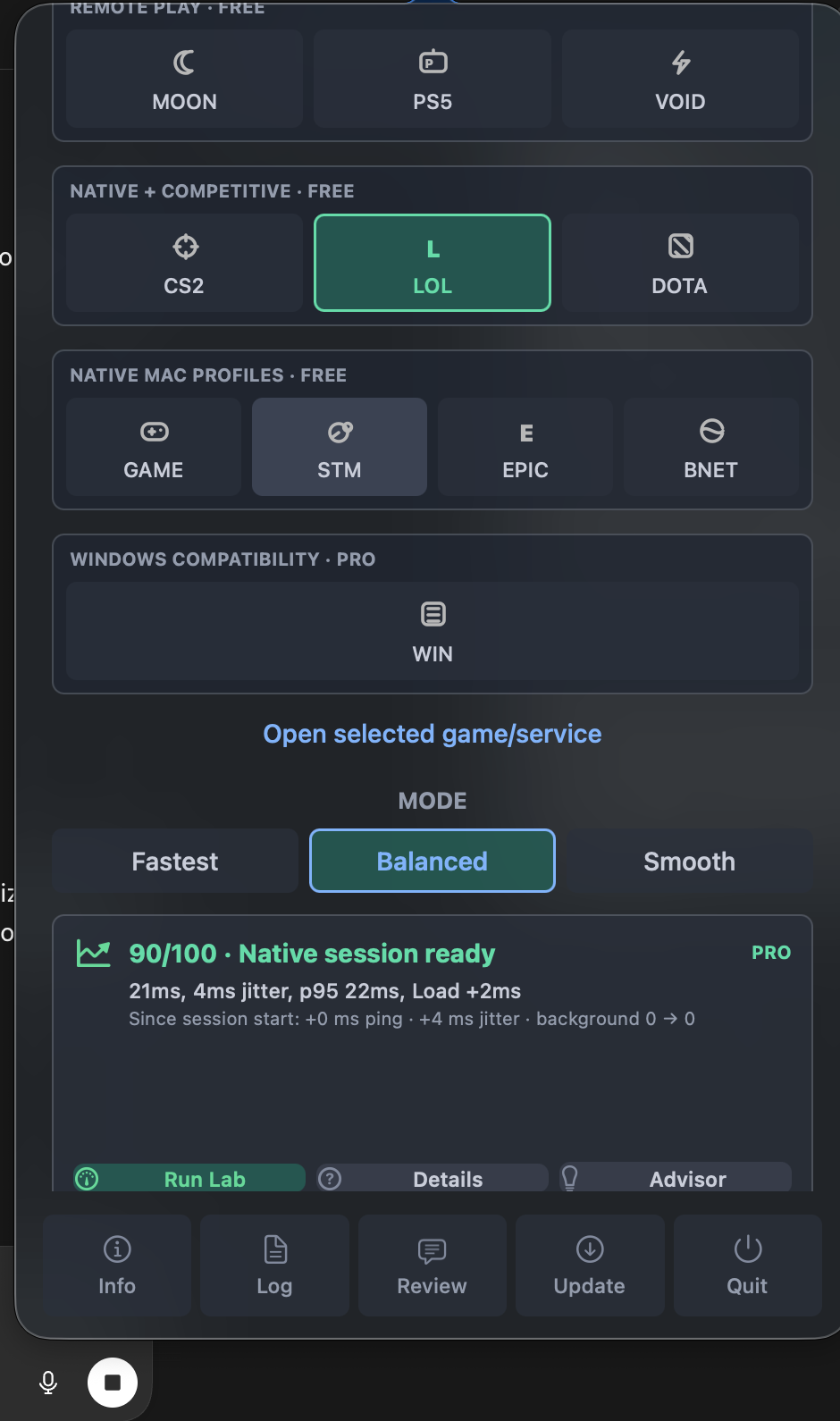
Real app, public feedback
The screenshots are taken from the shipping macOS app. Reviews are public, support is open, and Session Proof gives users a consistent way to report a problem.
“Seems to keep my connection more stable on Wi-Fi.”Read the public review and setup details See measurement method and results
Free and PRO
Manual sessions, Balanced preset, rollback protection, basic signal checks and the core cloud, remote play, native Mac and competitive profiles.
Automation, HUD, full Session Doctor, VPN Route Doctor, Spike Timeline, Session Lab, PRO Widgets, Session Proof, system guards, CrossOver/Whisky diagnostics and priority Discord support.
PRO: currently $10. This is the full CloudBoost 4.x PRO license, not a rental or subscription.
Unlock PRO license on PayhipVersion 4.2.3
CloudBoost now waits for five sessions lasting at least three minutes before asking for a review.
Free and PRO users can leave a public GitHub review, send private feedback through Discord, or postpone the request for another three sessions.
PRO users receive one clear end-of-session dialog instead of a report followed immediately by a second prompt.
The new Results page publishes the measurement method, current evidence and limitations without presenting one setup as a universal benchmark.
Support
Discord is open to Free and PRO users for install help, license support, bug reports, confusing diagnostics and feature requests.
For faster help, include macOS version, Mac model, selected profile, Wi-Fi or Ethernet, VPN/firewall status, and a screenshot of Session Doctor or Session Lab.
PRO users can also paste the Session Proof report from the app, which is usually faster than describing the whole setup manually.
Not directly. CloudBoost is about session stability and diagnosis. It can help when stutter comes from local macOS pressure, background tasks, power state or Wi-Fi behavior, but it does not modify the game renderer.
Yes, when the problem is around the game rather than inside it: thermal pressure, Low Power Mode, background traffic, Wi-Fi/AWDL behavior, CPU pressure or uneven local session state. CloudBoost cannot directly measure shader compilation, asset streaming, renderer frame time, engine stalls or Rosetta translation. Since version 4.2.2, it tells you when measured Mac-side signals are clean enough to investigate those causes next.
Yes. CloudBoost includes free profiles for remote play and can help identify local Mac-side causes such as Wi-Fi noise, UDP issues, route latency and background traffic.
Yes. CloudBoost can help diagnose the Mac receiving side of Shadow, remote PC and home streaming sessions: route latency, jitter, packet loss, VPN routing, UDP behavior, Wi-Fi/AWDL noise and local pressure.
CloudBoost is not a VPN service. PRO includes VPN Route Doctor, which can detect tunnel routes, blocked UDP checks and VPN-related route latency, then suggest testing with VPN off or using split tunneling for the game, client or browser.
No. CloudBoost does not install KEXTs, hidden daemons, permanent system patches, game injections or anti-cheat bypasses. Some features may ask for administrator permission because macOS requires it for temporary system-level session changes.
Only protected system-level actions should ask for administrator permission, such as DNS refresh, AWDL changes, Time Machine pause requests or lower-level session fixes. Viewing diagnostics and using basic profiles should not need a password.
Session Proof is a PRO support report that can be copied from the app. It includes the selected profile, preset, Session Doctor, Session Lab, before/after summary and recent CloudBoost events. It does not include license keys, personal files, hostnames or browser history.
Because CloudBoost is distributed outside the App Store, you may need to clear quarantine after installing: xattr -cr /Applications/"CloudBoost.app"