GeForce NOW, xCloud, Boosteroid, Moonlight, PS Remote Play and Steam Link.
Reduce local macOS noise and see whether the issue looks like Wi-Fi, UDP, packet loss, route latency or background traffic.
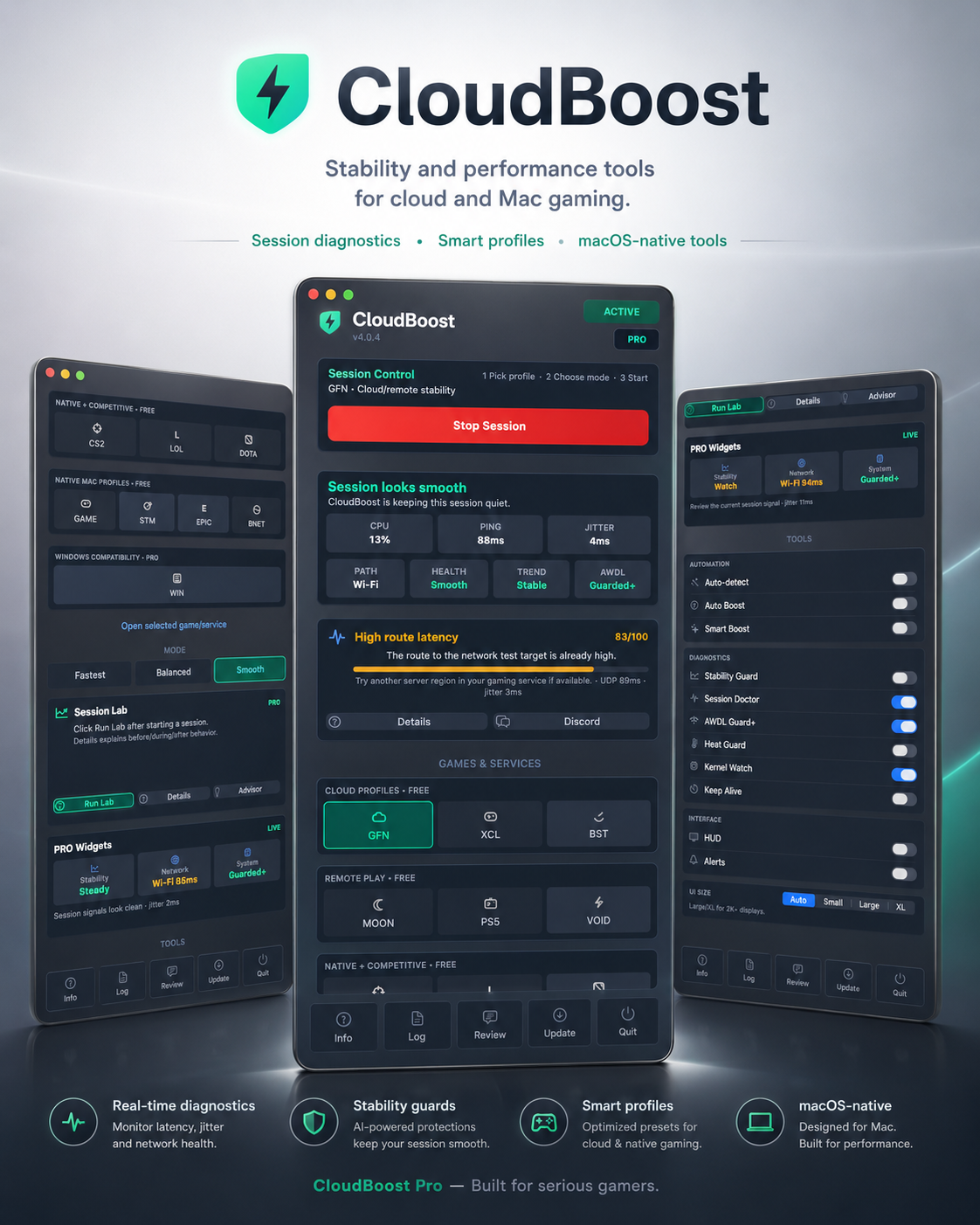
CloudBoost 4.0.8 for macOS
A native menu bar app for players who want fewer random spikes and clearer diagnostics, not fake boost promises.
CloudBoost watches the Mac side of the session: jitter, packet loss, route latency, background traffic, AWDL/Wi-Fi noise, thermal pressure, Low Power Mode and local CPU pressure.
Launch price test: PRO is currently $4.99. Full v4.x license. No subscription.

Use Cases
CloudBoost is useful when a game feels fine for a while, then suddenly stutters, spikes, or becomes inconsistent.
It helps with cloud gaming, remote play, native Mac gaming, and PRO diagnostics for Windows compatibility layers such as CrossOver, Whisky, Wine and Game Porting Toolkit.
Reduce local macOS noise and see whether the issue looks like Wi-Fi, UDP, packet loss, route latency or background traffic.
Watch CPU pressure, thermal pressure, Low Power Mode and background work that can make a session feel uneven.
CloudBoost does not patch games. It helps separate a compatibility-layer issue from a noisy macOS session.
CloudBoost now separates issues it can help with from manual checks such as ISP route, VPN/firewall, server region or app-side sync settings.
PRO users can copy a clean report with profile, preset, Session Doctor, Session Lab, before/after summary, and recent app events.
Free and PRO
Manual sessions, Balanced preset, rollback protection, basic signal checks, Stream Advisor, and the core cloud, remote play, native Mac and competitive profiles.
Automation, HUD, Session Doctor full reports and Fix actions, Session Lab, Stream Signal, PRO Widgets, Heat Guard, Keep Alive, Session Proof copy/export, Kernel Watch, background throttle, CrossOver/Whisky diagnostics and priority Discord support.
Launch price test: PRO is currently $4.99. This is the full CloudBoost 4.x PRO license, not a 7-day rental.
Unlock PRO licenseVersion 4.0.8
The latest release adds a one-click Session Proof report for PRO users, a public Trust Center, and practical setup guides for common Mac gaming cases.
Session Proof gives support enough context to help faster: profile, preset, Session Doctor, Session Lab, before/after summary and recent CloudBoost events.
The ZIP updater remains available for in-app updates, and the DMG remains available for manual installs. Existing PRO customers keep their access and receive the expanded feature set.
Support
Discord is open to Free and PRO users for install help, license support, bug reports, confusing diagnostics and feature requests.
For faster help, include macOS version, Mac model, selected profile, Wi-Fi or Ethernet, VPN/firewall status, and a screenshot of Session Doctor or Session Lab.
PRO users can also paste the Session Proof report from the app, which is usually faster than describing the whole setup manually.
Not directly. CloudBoost is about session stability and diagnosis. It can help when stutter comes from local macOS pressure, background tasks, power state or Wi-Fi behavior, but it does not modify the game renderer.
Yes, when the problem is around the game rather than inside the game: thermal pressure, Low Power Mode, background traffic, Wi-Fi/AWDL behavior, CPU pressure or uneven local session state.
Yes. CloudBoost includes free profiles for remote play and can help identify local Mac-side causes such as Wi-Fi noise, UDP issues, route latency and background traffic.
No. CloudBoost does not install KEXTs, hidden daemons, permanent system patches, game injections or anti-cheat bypasses. Some features may ask for administrator permission because macOS requires it for temporary system-level session changes.
Session Proof is a PRO support report that can be copied from the app. It includes the selected profile, preset, Session Doctor, Session Lab, before/after summary and recent CloudBoost events. It does not include license keys, personal files, hostnames or browser history.
Because CloudBoost is distributed outside the App Store, you may need to clear quarantine after installing: xattr -cr /Applications/"CloudBoost.app"